Identify This Picture: The Ultimate Guide to Recognizing Any Image Instantly
Why You Might Need to Identify This Picture

We've all been there — you stumble across a fascinating image online, receive a mysterious photo in a text message, or find an old photograph in a drawer and wonder: what exactly am I looking at? The need to identify this picture is more common than you might think, and it spans a surprisingly wide range of situations. Maybe you're a student trying to identify a species of plant for a biology project. Perhaps you're an art enthusiast trying to recognize a famous painting or sculpture. Or maybe you're just someone who spotted a striking landmark in a travel photo and can't quite place the location. Whatever the case, the ability to instantly identify any picture has become an essential modern skill. With the explosion of visual content across social media, news, and messaging platforms, image identification has evolved from a niche curiosity into an everyday necessity. Fortunately, advances in artificial intelligence and machine learning have made it easier than ever to get reliable, fast answers about what you're looking at — without needing a PhD in botany, art history, or geography.
How AI Technology Can Identify This Picture with Stunning Accuracy

The science behind modern image identification is nothing short of remarkable. When you upload a photo to an AI-powered tool and ask it to identify this picture, you're triggering a sophisticated process known as computer vision. The AI analyzes thousands of visual features simultaneously — shapes, colors, textures, spatial relationships, and contextual clues — before matching them against a vast database of known images, objects, landmarks, species, and artworks. Modern deep learning models, particularly convolutional neural networks (CNNs), have been trained on billions of images, giving them an almost encyclopedic visual knowledge base. These models can identify a rare species of orchid, recognize a famous cathedral from a partially obscured angle, distinguish between similar-looking bird species, or even identify the make and model of a car from a single photograph. The accuracy rates of leading AI image identification tools have surpassed 90% for common objects and continue to improve as the models train on more data. What once required hours of manual research by a domain expert can now be accomplished in seconds with a simple photo upload. This democratization of visual knowledge is transforming fields from medicine and ecology to education and e-commerce.
What Types of Images Can You Identify? A Complete Breakdown
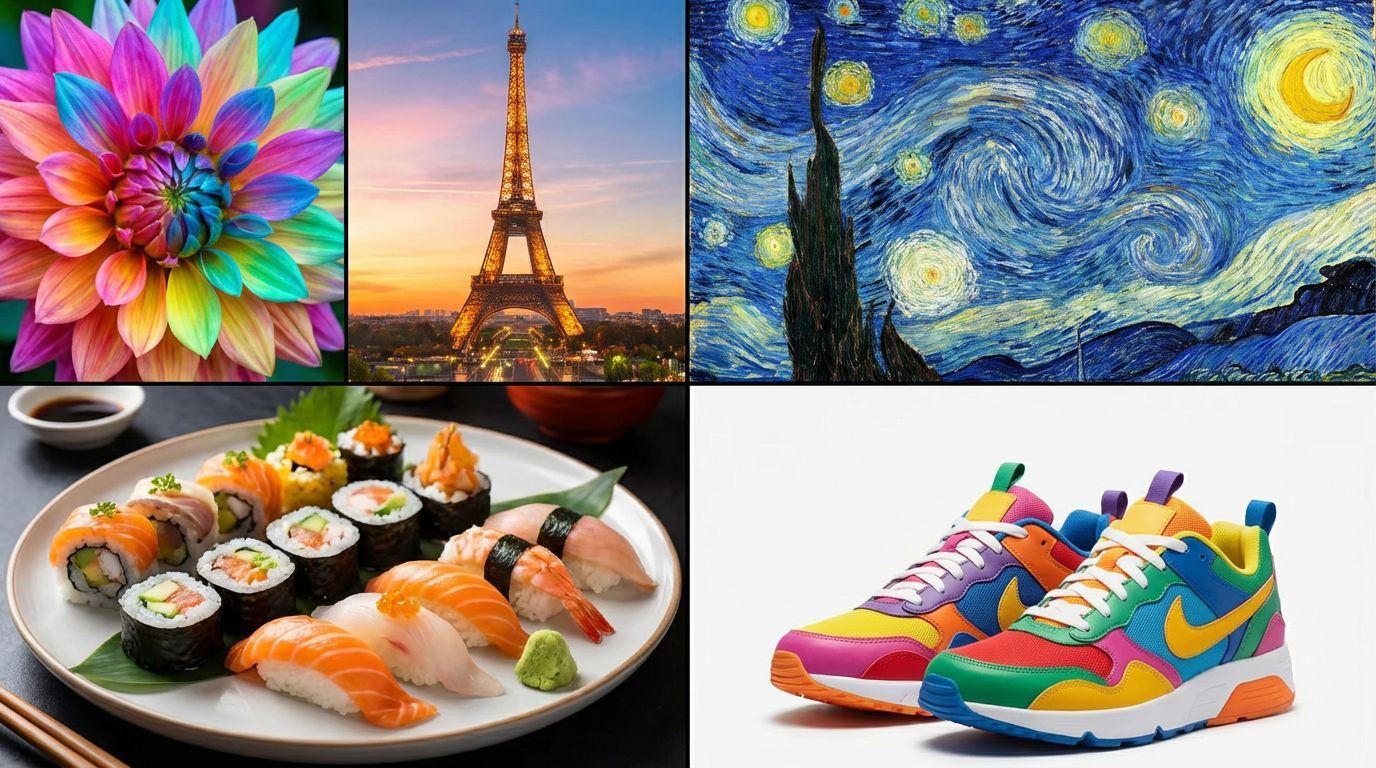
One of the most impressive aspects of modern AI image identification tools is just how broad their capabilities are. When you want to identify this picture, the category of image almost doesn't matter — the best tools handle a remarkably diverse range of visual content. Plants and nature are among the most searched categories, with millions of people wanting to identify wildflowers, mushrooms, trees, insects, and animals they encounter outdoors. Landmark and travel identification is another huge use case, helping travelers and armchair explorers pinpoint famous and obscure locations alike. Artwork identification allows users to discover the title, artist, and history behind paintings, sculptures, and photographs. Food identification is growing rapidly, especially useful for identifying exotic cuisines, ingredients, or restaurant dishes. Product identification helps shoppers find where to buy something they've seen in a photo. Medical and dermatological images, while requiring professional confirmation, can be preliminarily assessed. Even text within images, such as signs in foreign languages or handwritten notes, can be extracted and translated. The breadth of what AI can identify continues to expand, making these tools genuinely useful for nearly every aspect of daily life. Whether the image is a screenshot, a scanned photograph, a smartphone snapshot, or a high-resolution DSLR image, today's AI identification tools are up to the task.
Step-by-Step: How to Use IdentifyThis.app to Identify This Picture
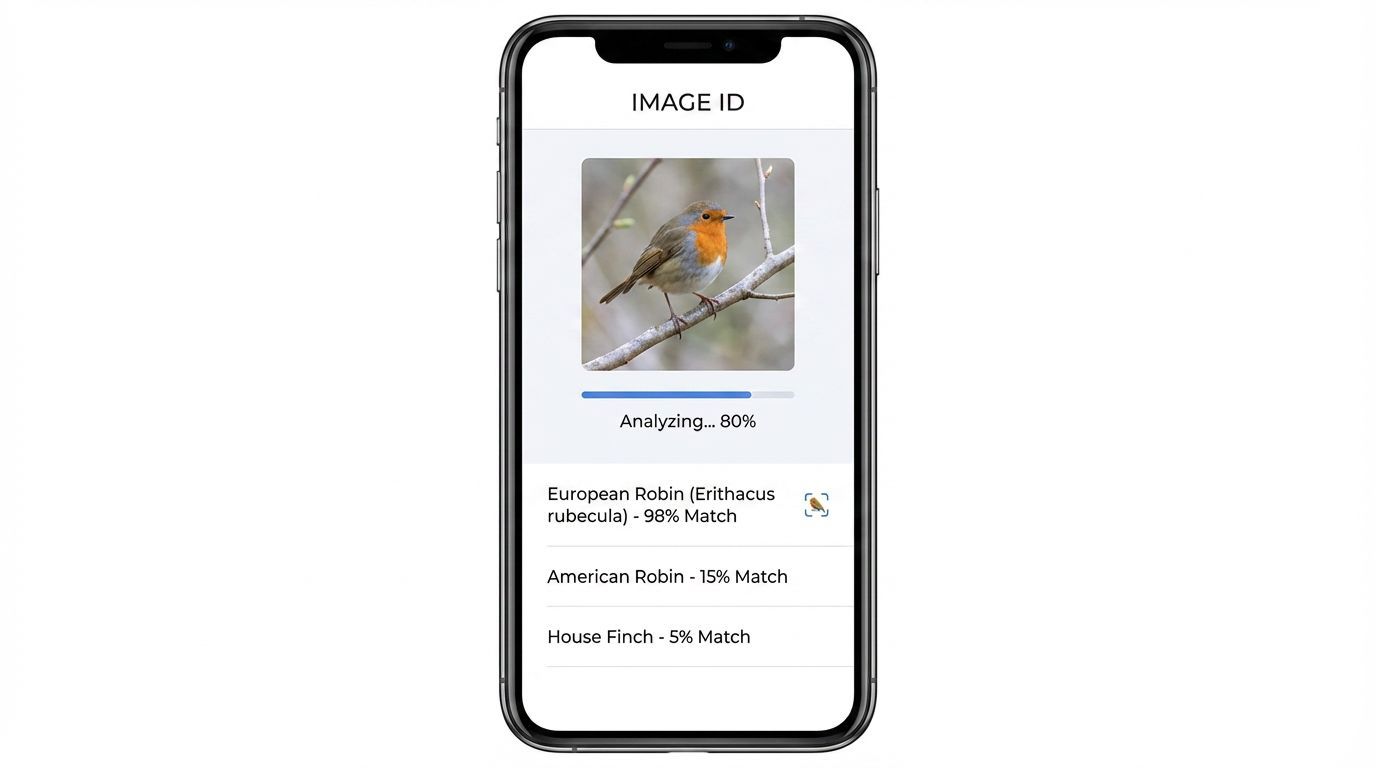
If you're looking for the fastest, most accurate, and most user-friendly way to identify this picture, look no further than IdentifyThis.app. This powerful AI-driven platform has been purpose-built for exactly this task, and using it couldn't be simpler. Start by visiting the dedicated image identification page at identifythis.app/identify-this-picture. Once there, you have two easy options: you can either upload an image directly from your device by clicking the upload button and selecting your file, or you can paste a URL from an image you found online. The AI engine will begin analyzing your image immediately after submission, typically returning results within just a few seconds. The results page provides a detailed breakdown of what the AI has identified, including the name, category, and often additional contextual information such as scientific names for species, historical background for landmarks, or artist details for artworks. You can also ask follow-up questions about the identified image using the integrated chat feature, making it a truly interactive experience. IdentifyThis.app supports a wide variety of image formats including JPEG, PNG, WEBP, and GIF, so compatibility is rarely an issue. The platform is fully optimized for both desktop and mobile use, meaning you can identify pictures on the go just as easily as you can at home. Best of all, it's designed for everyday users — no technical knowledge required.
Comparing Methods: Which Is the Best Way to Identify This Picture?
Before dedicated AI tools like IdentifyThis.app existed, people had several options for trying to identify a picture, each with significant limitations. Manual Google Search involved describing the image in words and hoping search results would match — an approach that worked reasonably well for famous subjects but failed completely for obscure or visually complex images. Google Reverse Image Search improved on this by allowing users to search with the image itself, but its results are based on finding visually similar images already indexed on the web, meaning it struggles with original photographs or images of uncommon subjects. Specialized apps like iNaturalist work well specifically for plants and animals but offer no help for landmarks, artworks, or products. Social media crowdsourcing — posting a photo and asking followers — can yield answers but requires time, an audience, and the willingness to share publicly. By contrast, IdentifyThis.app combines the best aspects of all these approaches. Its AI doesn't just search for visually similar images; it actually analyzes and understands the content of the image, providing accurate identification even for subjects not widely represented online. It offers broader category coverage than any specialized app, faster results than crowdsourcing, and more reliable answers than keyword searches. For anyone serious about the ability to identify this picture quickly and accurately, an AI-first platform is clearly the superior choice.
Practical Tips to Get Better Results When You Identify This Picture
While AI image identification technology is impressively capable, there are a few practical strategies that can help you get even better and more accurate results. First, image quality matters significantly — whenever possible, use a clear, well-lit, high-resolution photograph. Blurry, dark, or heavily compressed images can confuse even the best AI systems. Second, try to include as much of the subject as possible in the frame. A photograph that shows just a small fragment of a plant leaf, for example, will yield less accurate results than one showing the entire plant including stem, leaves, and if available, flowers or fruit. Third, if you're trying to identify a specific element within a larger scene, consider cropping the image to focus on that element before uploading. This helps the AI prioritize the correct subject rather than being distracted by background elements. Fourth, take advantage of any additional context fields the tool provides — adding a location, time of year, or brief description can significantly improve identification accuracy for ambiguous subjects. Fifth, if the first result doesn't seem right, try uploading the image from a slightly different angle or with different lighting if possible. Finally, always cross-reference AI results with a second source for important decisions, especially in cases involving medical symptoms, edible plants, or other safety-critical identifications. With these tips in mind, you'll find that your ability to identify this picture becomes faster and more reliable than ever.
Real-World Use Cases: People Who Identify This Picture Every Day
The ability to identify this picture isn't just a tech novelty — it has genuine, meaningful applications across dozens of professions and hobbies. Hikers and foragers use image identification to safely distinguish edible mushrooms from toxic lookalikes, or identify plants that might be hazardous to touch. Teachers use it to bring lessons to life, quickly identifying specimens students bring to class. Real estate professionals use it to identify architectural styles, building materials, or even furniture in listing photos. Journalists and fact-checkers use it to verify the origin and authenticity of images circulating on social media. Collectors — whether of art, antiques, coins, or stamps — use it to authenticate and value items in their collections. Travelers use it to learn about the history and significance of the landmarks, street art, and cultural objects they encounter. Even pet owners use it to identify unusual plants in their gardens that might be toxic to their animals. Researchers and academics use it to analyze historical photographs, identifying people, places, and objects documented in archival images. The common thread across all these use cases is the same: a need for fast, accurate, reliable visual information. IdentifyThis.app serves all of these users with equal effectiveness, making it a truly universal tool for anyone who has ever looked at an image and wondered, what exactly is this?
Try It Now on IdentifyThis.app
Use our free AI-powered tool to identify this picture instantly.
Try Free NowFrequently Asked Questions
How accurate is AI when I try to identify this picture?
Modern AI image identification tools have reached impressive accuracy levels, often exceeding 90% for common subjects like well-known landmarks, popular plant species, standard products, and mainstream artworks. Accuracy can vary depending on the quality of the image, the rarity of the subject, and the amount of training data available for that category. For example, a common species of rose will be identified with very high confidence, while a rare subspecies of beetle from a remote region might yield a less specific result. Tools like IdentifyThis.app continuously improve their models, so accuracy increases over time. For best results, always provide a clear, well-lit, high-resolution image and include any additional context you have about where or when the photo was taken.
Can I identify this picture if it contains multiple objects?
Yes, modern AI tools are capable of identifying multiple objects, subjects, or elements within a single image simultaneously. When you upload a complex scene, the AI will typically identify and label each distinct element it recognizes, often with confidence scores for each. However, if you're specifically interested in one particular element within a busy image, it's often more effective to crop the image first to isolate that subject. This reduces noise in the analysis and helps the AI focus its identification on what you actually want to know about. IdentifyThis.app handles multi-subject images effectively and provides organized results that help you understand each identified element separately.
Is it safe to upload personal photos to identify this picture?
Privacy is a valid and important concern when uploading images to any online platform. Reputable AI image identification services like IdentifyThis.app are designed with user privacy in mind and do not store or share your uploaded images without your consent. It's always worth reviewing the privacy policy of any tool you use before uploading sensitive images. As a general best practice, avoid uploading images that contain personally identifiable information, sensitive documents, or private individuals without their consent. For most everyday identification tasks — plants, landmarks, artworks, products, animals — there is minimal privacy risk involved in using these tools.
What should I do if the AI can't identify this picture?
Even the best AI tools occasionally encounter images they can't identify with confidence, particularly for very rare subjects, extremely low-quality images, or highly abstract visuals. If the tool returns a low-confidence result or no result at all, there are several steps you can try. First, improve the image quality if possible — retake the photo with better lighting or from a clearer angle. Second, try cropping the image to isolate the specific subject you want identified. Third, try a different image of the same subject if you have one available. Fourth, add contextual information such as location, date, or a brief description to help the AI narrow down possibilities. Finally, for particularly challenging identifications, consider consulting a specialist community or forum focused on that subject area, such as naturalist communities for plants and animals, or art history forums for artworks.
Can I identify this picture on my mobile phone?
Absolutely. IdentifyThis.app is fully optimized for mobile devices, making it just as easy to identify a picture on your smartphone or tablet as it is on a desktop computer. This is particularly useful for on-the-go identifications, such as when you're hiking and want to identify a plant or insect, traveling and want to learn about a landmark, or shopping and want to find where to purchase something you've spotted. Simply open your mobile browser, navigate to identifythis.app/identify-this-picture, and either upload a photo from your camera roll or take a new photo directly through your browser. The mobile experience is designed to be fast, intuitive, and fully featured, giving you the same powerful AI identification capabilities wherever you are.